
- Your cart is empty
- Continue Shopping


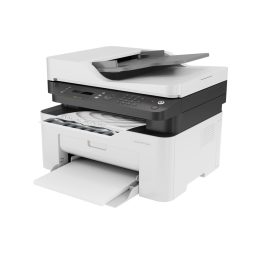
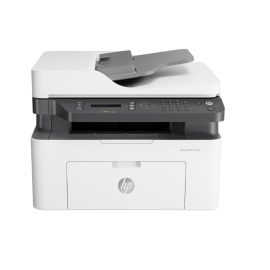
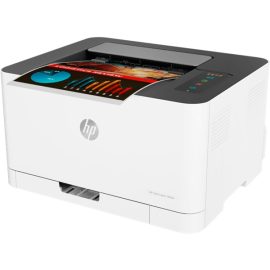
HP LaserJet M111w Printer, Wi-Fi, USB
KWD29.000
Add to cart
Buy Now
- Brand: HP – HP LaserJet M111w Printer
- Functions: Print only
- Print Speed: Black – Up to 20ppm
- Print Quality: Up to 600 x 600 dpi
- Connectivity: USB 2.0 + Wi-Fi
- Toner: HP 150A Black LaserJet Toner Cartridge
- Warranty: One Year From Hp Service Center
Overview of HP LaserJet M111w Printer
The HP LaserJet M111w Printer is designed for users who value speed, clarity, and dependable daily output. It fits neatly into small offices or home workspaces because its footprint remains compact, yet performance stays consistent. This printer focuses on monochrome laser printing, so text documents appear sharp and professional every time. Because wireless connectivity is built in, users can print directly from laptops or mobile devices without cables. If you need reliable document handling, but want minimal maintenance, this model delivers consistent value. It balances affordability and efficiency, so operational costs remain predictable. The overall design reflects HP’s experience in laser technology, which builds trust and long-term usability for everyday business needs.
Compact Design and Build Quality
The printer’s structure feels solid, but it remains lightweight enough for easy placement. Because space matters in modern offices, its compact body helps users stay organized. The control panel is simple, so learning time stays minimal.
Target Users and Use Cases
This model suits students, freelancers, and small teams who print text-heavy documents. If reports, invoices, or assignments matter, this printer performs reliably.
Printing Technology Explained
Understanding the technology helps users appreciate why laser printing remains popular. This printer uses monochrome laser technology, which applies toner through heat for precise results. Because the process is efficient, output stays consistent even during high-volume tasks.
Laser Printing Advantages
Laser printers are known for speed and text clarity. They handle bulk printing well, so productivity increases. Because toner dries instantly, smudging is not a concern.
Monochrome Efficiency
Black-and-white printing reduces costs. If color is unnecessary, monochrome printing saves toner and energy.
Performance and Speed
Performance defines daily user experience. This printer delivers fast output, so waiting time decreases during busy schedules. Because speed remains stable, workflow stays uninterrupted.
Print Speed and Output Quality
The printer produces crisp text at a competitive speed for its class. Because resolution stays high, documents look professional.
First Page Out Time
Quick first-page output matters when printing short tasks. This model responds rapidly, so productivity improves.
Connectivity and Wireless Features
Modern users expect wireless freedom. This printer includes built-in Wi-Fi, so cables become optional. Because of this flexibility, shared usage becomes easier.
Wi-Fi Direct Printing
Wi-Fi Direct allows device-to-printer connections without a router. If network access is limited, printing still works seamlessly.
Mobile Printing Support
Users can print from smartphones and tablets. HP’s mobile apps simplify document handling, so efficiency increases.
Toner Compatibility and Costs
Toner choice affects long-term expenses. This HP LaserJet M111w Printer uses HP 150A Black Original Laser Toner, which is designed for consistent performance. Because original toner matches the printer, reliability improves.
HP 150A Black Original Laser Toner
This toner delivers sharp text and dependable yield. Because it’s engineered for HP devices, print quality remains stable.
Yield and Cost Efficiency
The toner yield supports moderate workloads. If printing volumes stay consistent, cost per page remains economical.
Paper Handling and Capacity
Paper management influences daily convenience. This printer includes practical tray capacity for routine tasks. Because handling remains simple, paper jams are minimized.
Input and Output Trays
The input tray supports standard office volumes. Output pages stack neatly, so organization stays intact.
Supported Media Types
It handles plain paper, envelopes, and labels. This flexibility supports diverse office needs.
Energy Efficiency and Sustainability
Energy efficiency matters for cost and environment. This printer uses optimized power consumption, so electricity usage stays low.
Power Consumption
Sleep modes reduce power draw. Because energy efficiency is built in, operational costs decrease.
Environmental Certifications
HP follows sustainability standards. This commitment adds trust and long-term value.
Setup, Software, and Ease of Use
Ease of setup matters for first-time users. This printer installs quickly, so productivity begins sooner.
Installation Process
Clear instructions guide setup. Because drivers are accessible, installation remains smooth.
Driver and App Support
HP software supports major operating systems. Updates keep performance stable.
Security and Reliability
Basic security ensures document safety. This printer focuses on stable operations, so downtime remains low.
Basic Security Features
Standard network protections help prevent unauthorized access.
Long-Term Reliability
HP’s build quality ensures dependable use over time.
Comparison With Similar Printers
Choosing wisely requires comparison. This printer competes well among entry-level lasers.
Inkjet vs Laser
Laser printers outperform inkjets for text volume. Because toner lasts longer, efficiency improves.
Entry-Level Laser Competitors
Compared to similar models, this printer balances cost and features effectively.
Related products
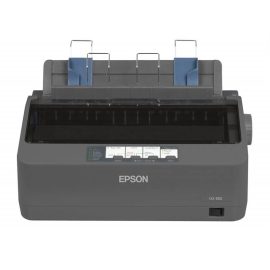
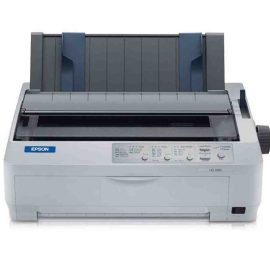
EPSON LQ350 Dot Matrix Printer, 24Pin.
KWD58.000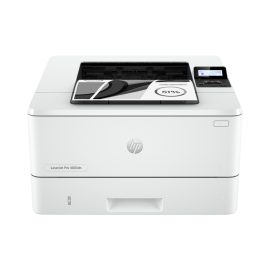
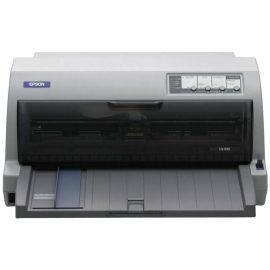
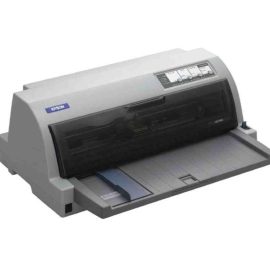
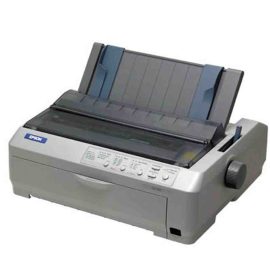
Epson LQ-590 Dot Matrix Printer.
KWD145.000


Reviews
There are no reviews yet.